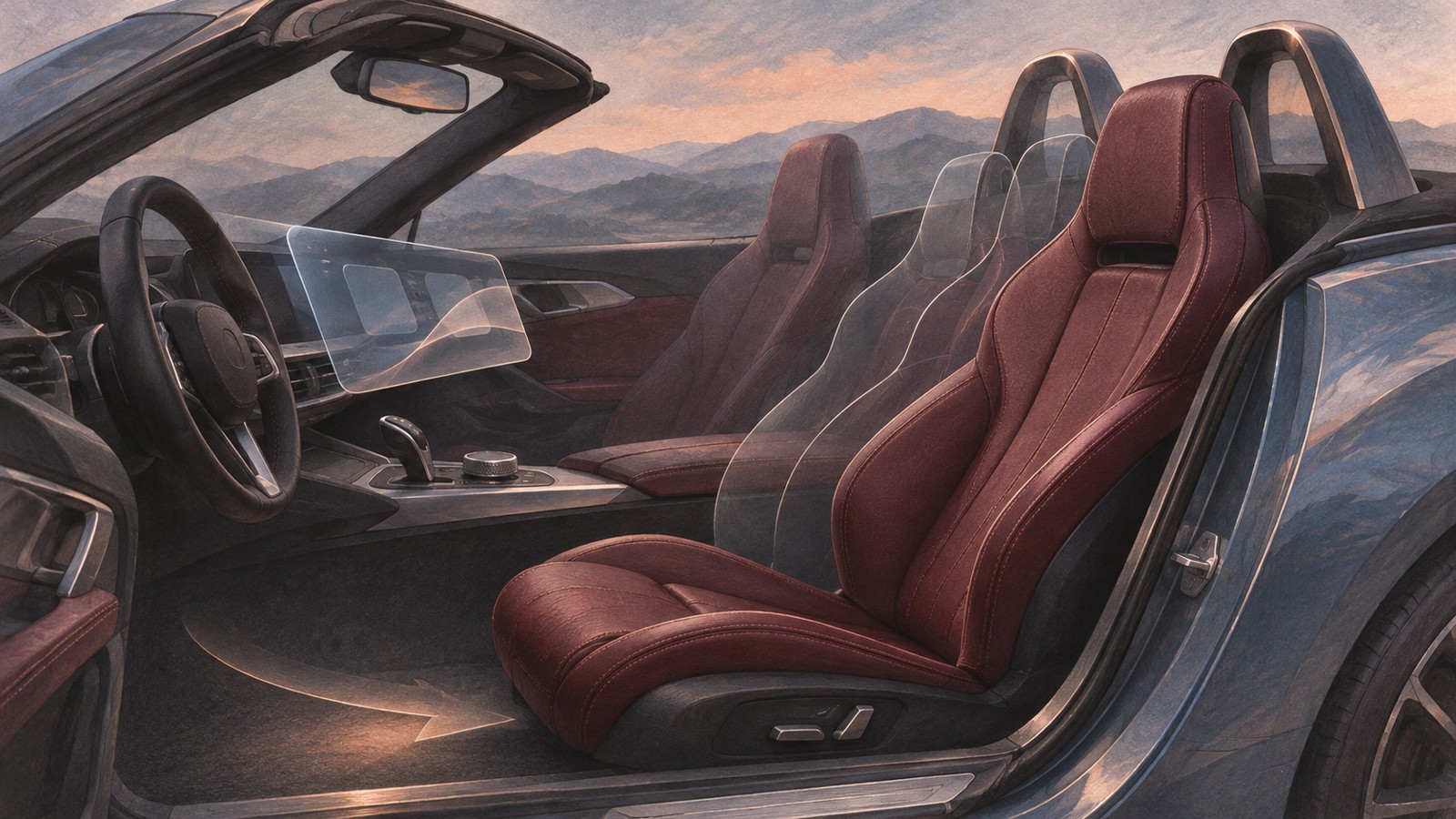
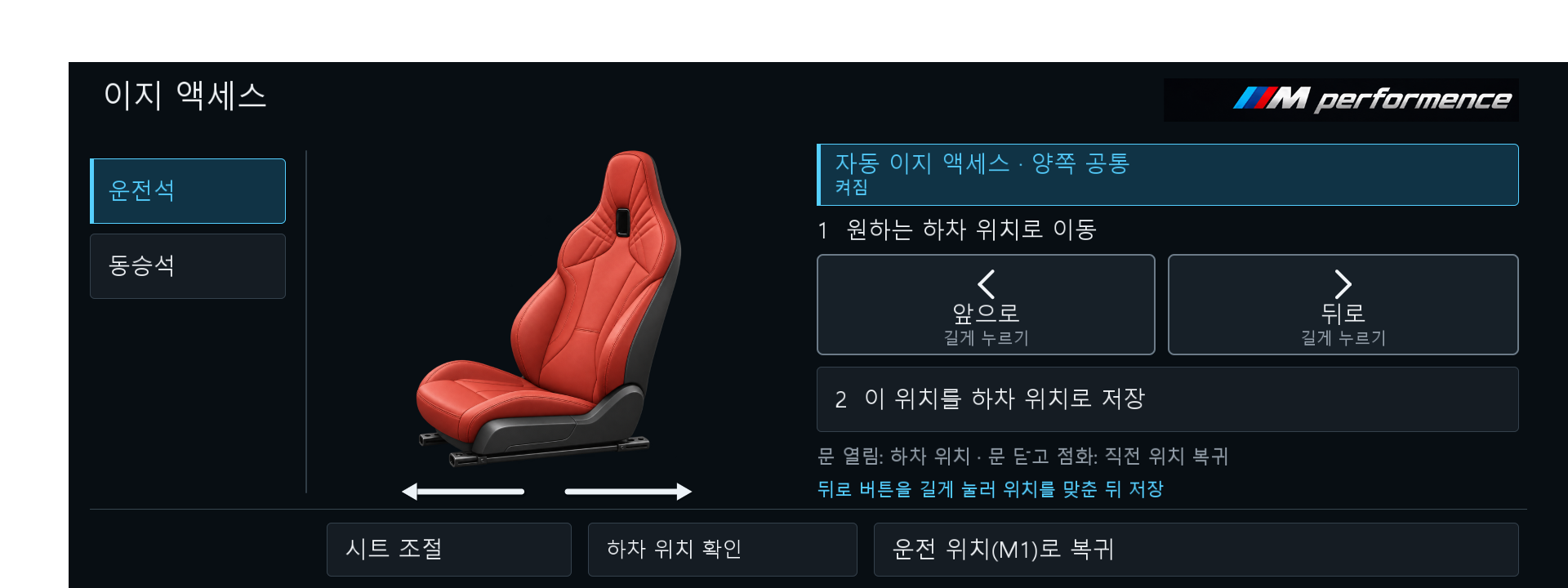
UPMI Lab connected the Seats app and Comfort service in a BMW G29 to configure seat controls and automatic exit-and-return movement. The owner reported confirming operation in the actual car. No separate easy-access OBD module was added.
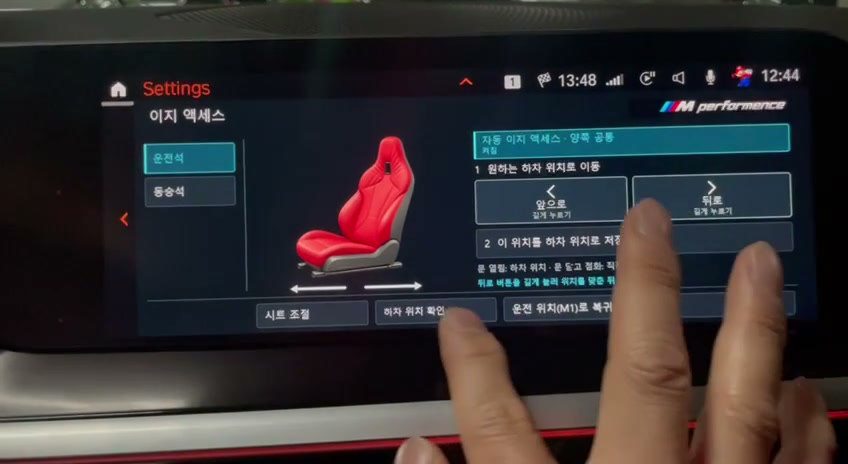
Seats provides the screen for choosing a seat and adjustment, while Comfort handles automatic entry and exit behavior. Korean buttons, direction indicators and an illustration modeled on the red M Sport seats were added. The published video shows app operation while parked; it does not film actual seat-rail movement.
Automatic movement must suit the person using the seat
Seat height, backrest angle and distance from the steering wheel depend on the driver’s body. Automatic movement is useful only when its direction, distance, timing and return position suit that driver. These specific conditions distinguish a listed easy-access feature from one that is convenient every day.
In this project, Seats handles seat and adjustment selection, and Comfort handles automatic entry and exit. The installed versions are Seats 1.6.7 and Comfort 0.6.0. The interface distinguishes driver and passenger seats, fore-aft movement, height, backrest and cushion tilt; available adjustments still depend on the axes supported by the car.
Illustrations and Korean labels explain the controls
In-car buttons should make the resulting movement clear. The saved app render uses horizontal arrows for fore-aft travel and vertical arrows for height, with rotation indicators for backrest and cushion tilt. The red seat is an AI-generated illustration based on the owner’s seat, not an image measuring its actual position.
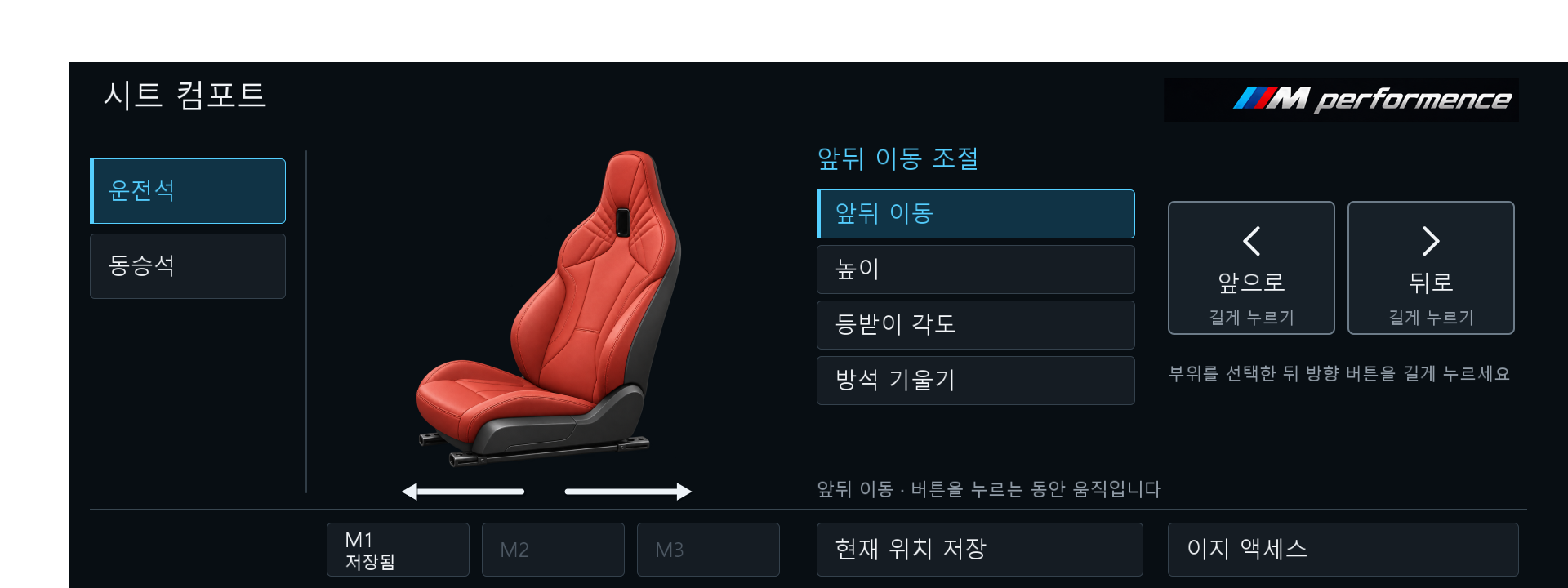
Broken Korean text was corrected by separating conflicting shared font names, and margins were added around icons so selection outlines remain visible. These changes help users understand operation rather than merely decorate a feature. Direction indicators change while a button is held, but their color represents input state, not a measurement of seat position.
Use reveals what the next revision should address
After confirming operation, the owner requested changes to reduce unnecessary movement. A candidate revision limiting automatic movement to the fore-aft rail axis has not been applied to the installed version. Remaining improvements show how experience can guide the next design, rather than necessarily indicating that the existing function has failed.
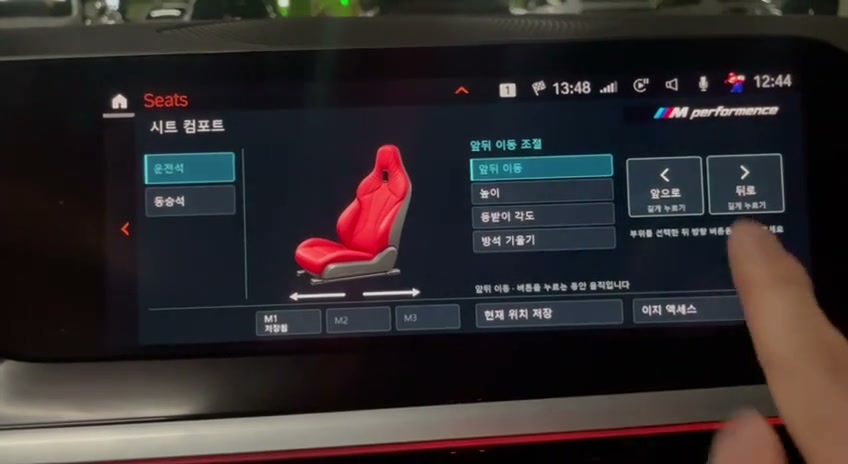
The published stationary video shows opening the app from APPS and operating menus. It does not film seat-rail movement, so statements about automatic exit and return rely on the owner’s report of use. Improving the interface and adapting automatic behavior are related tasks with separate verification needs.
Experience can shape the details of a product
Participation in production does not require inventing a function from scratch. Making public apps legible and usable in one’s car, then describing awkward movement after use, also shapes how a product works. The experience of the person who sits in that seat daily matters when defining precise requirements.
The G29 case shows a user progressing from selecting a feature to proposing details of its operation. Not every owner needs to edit code. But being able to state what suits their body and assess the results allows everyday experience to play a larger role in deciding when a car’s functions are satisfactory.
An in-house feature about work on the UPMI Lab operator’s personal car, checked against vehicle photographs and videos, the owner’s reports, retained handover records and public project documentation. The demonstrations were conducted while parked. This is not a BMW official product or support program, or an independent road test. Original interface captures and linked Lab records are in Korean.
- UPMI Lab · Original vehicle project record (Korean) ↗
- MGU Store · Installation requirements and app management ↗
- bimmer-lab · Cluster themes and driving modes ↗
- iDrive Custom Apps · Diagnostics app development ↗
- SSH tool · Pre-flash backups and coding restoration ↗